

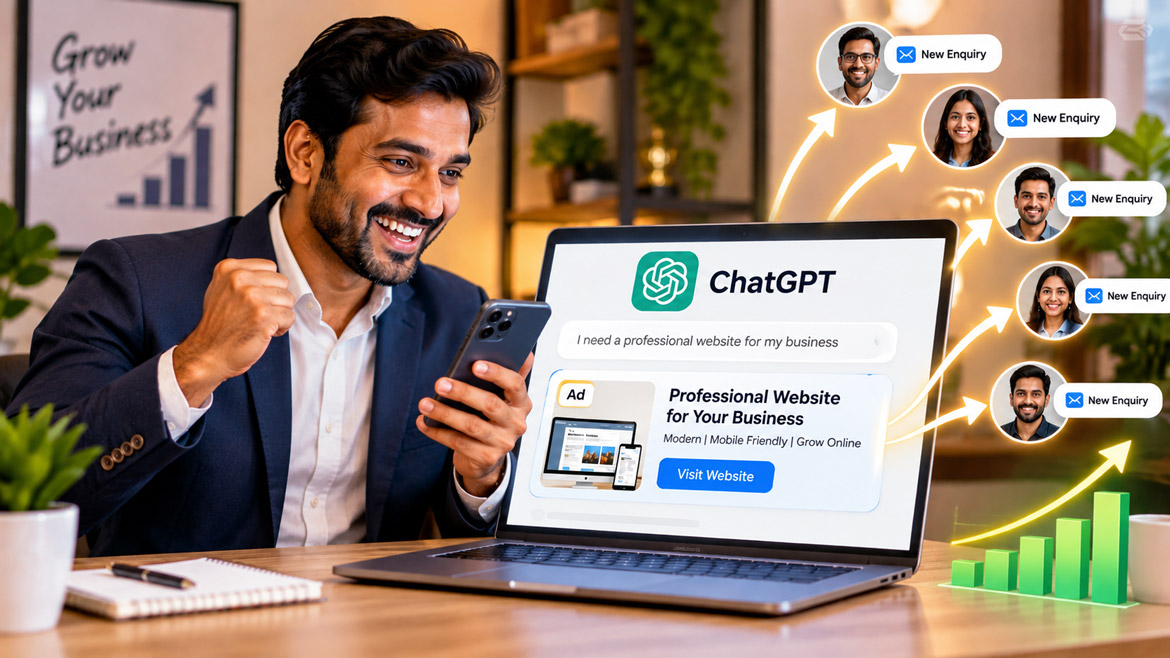
Imagine someone searching for the best website designer, a reliable software company, or a product they want to purchase. Instead of searching Google, they open ChatGPT and ask for suggestions. Now, imagine your business advertisement appearing right when that person explores their options. Sounds interesting, doesn’t it?
This is the new opportunity that ChatGPT advertising brings to businesses. Just as Google Ads helps businesses reach customers through search results, ChatGPT Ads gives businesses another way to connect with potential customers during conversations.
The exciting part is that you don’t need advanced technical knowledge to get started. In this guide, we will explore how ChatGPT advertising works, how to create your first advertisement, and how your business can use this new advertising opportunity to reach more customers.
What Is ChatGPT Advertising?
Before creating an advertisement, let’s understand what ChatGPT Ads actually means. ChatGPT advertising allows businesses to promote their products and services within the ChatGPT experience. These advertisements appear separately from ChatGPT’s answers and carry a clear advertising label.
For example, imagine someone asking ChatGPT, “Which is the best platform to create a professional business website?” A relevant advertisement from a website development company might appear alongside the conversation. The person can then explore the advertisement and visit the company’s website.
Unlike traditional advertising, ChatGPT Ads can use the context of a conversation to identify relevant advertisements. This creates an opportunity for businesses to reach people when they actively explore a product, service, or solution.
An important point: ChatGPT advertisements do not control ChatGPT’s answers. OpenAI keeps advertisements separate from the answers generated by ChatGPT. Advertisers also cannot access people’s private conversations.
Why Should Businesses Consider Advertising on ChatGPT?
Have you noticed how people increasingly use AI tools to find information, compare products, and make decisions? This change creates a new opportunity for businesses.
Traditional search advertising usually focuses on keywords. However, people often explain their needs in complete sentences when they use ChatGPT. This gives businesses a new way to connect with potential customers.
Here are some reasons why ChatGPT advertising deserves attention.
1. Reach customers with specific interests
People often explain exactly what they need when they chat with AI. For example, someone might ask, “I need an affordable website for my small business.” Your website development advertisement could reach someone exploring that type of service.
2. Connect with potential customers at the right time
A person researching a product may already have an intention to purchase. Relevant advertising can help your business introduce its services during that decision-making process.
3. Explore a new advertising platform
Google Ads and social media advertising already offer businesses many opportunities. ChatGPT Ads introduces another platform that businesses can explore as customer behaviour changes.
4. Promote different types of businesses
Website development companies, software providers, online stores, educational services, and many other businesses can explore opportunities to advertise through ChatGPT.
5. Prepare your business for the AI era
AI is changing how people discover information. Businesses that understand new marketing channels early can prepare themselves for future opportunities.
What Do You Need Before Creating a ChatGPT Ad?
Don’t worry! You don’t need programming knowledge or advanced technical skills. However, preparing a few things before starting will make the process easier.
Keep the following items ready:
- A business website: Your website should clearly explain your products or services.
- A business name: Use the name that customers recognise.
- A business logo: Prepare a good-quality logo for your advertising account.
- Business details: Keep your registered business name and billing information ready.
- An OpenAI account: You need an account to access Ads Manager.
- A payment method: Keep an accepted credit card ready for advertising payments.
Your website deserves special attention. When someone clicks your advertisement, your website should provide the information they expect. A clear service description, contact details, and easy navigation can help turn visitors into customers.
How to Create an Ad on ChatGPT – Step-by-Step Guide
Now comes the interesting part! Let’s understand how to create your first ChatGPT advertisement.
OpenAI provides a platform called Ads Manager for advertisers. You can use this platform to create, manage, and monitor your advertising campaigns.
Step 1: Visit the Official ChatGPT Ads Manager Website
First, open your internet browser, such as Google Chrome.
Visit the official website:
This is the official OpenAI advertising platform. You can sign in using your existing OpenAI account or create a new account if you don’t have one.
Click the Login or Sign Up option and follow the instructions on the screen.
Make sure you use the official website. Avoid entering your account details on unknown websites that claim to offer ChatGPT advertising services.
Step 2: Enter Your Business Website URL
After starting the registration process, Ads Manager gives you an option to enter your website address.
For example:
Enter your actual business website URL.
Why does OpenAI ask for your website? It can use the information on your website to help create your initial advertisement. This makes the process easier, especially for beginners who don’t know how to write advertising content.
Review the advertisement that the platform prepares. You can make changes to the content before continuing.
If you don’t want to create an advertisement during registration, you can skip this step and enter Ads Manager directly.
Step 3: Create Your Advertiser Account
Next, enter your advertiser details.
Ads Manager uses three important names:
- Account Name: The name you use internally to manage your advertising account.
- Brand Name: The business name that appears alongside your advertisements.
- Legal Name: Your registered business name for billing and business verification.
During registration, the platform initially uses the advertiser name for all three fields. You can change them separately later through Settings.
Enter your business details carefully. Also, pay attention to your country, currency, and time zone. These settings cannot be changed after account creation.
Once you complete the required details, continue with the account setup.
Step 4: Add Your Business Logo
Your business logo helps people recognise your brand.
Open the Settings section and check your logo details. Upload a clear, good-quality version of your company logo if required.
Choose a logo that looks professional and represents your business properly.
For example, if you run a digital marketing company, your logo should match your brand identity. Avoid using unclear images or logos with excessive text.
Remember, your advertisement should create a professional first impression.
Step 5: Complete Billing Information
Now, let’s move to an important step: payment setup.
Open the Billing section in Ads Manager. Follow the instructions and enter your payment information.
You may need to provide:
- Business name
- Billing address
- Payment card details
- Invoice delivery email address
Add your payment method and complete the required billing information.
You may notice a temporary payment authorisation when you add your card. This helps verify the payment method and is separate from your actual advertising charges.
Always review the billing information before continuing. Your campaigns cannot start delivering until you complete the required billing setup.
Step 6: Create Your First Advertising Campaign
Now we reach the most important part!
An advertising campaign tells ChatGPT Ads what you want to achieve through your advertisement.
Open the campaign creation section in Ads Manager. The platform provides a guided process that helps you create a campaign step by step.
During campaign creation, you will work with three main elements:
Campaign: This defines your advertising objective, budget, schedule, and targeting.
Ad Group: This organises advertisements around a particular theme or customer interest. You can also add context hints to describe the types of conversations that relate to your advertisement.
Ad: This is the actual advertisement that people see. It includes your title, description, image, and website landing page.
For example, imagine you own a company that develops websites.
You can create a campaign to promote your website development services. Under that campaign, you can create an ad group focused on small business website requirements.
Your advertisement can then introduce your website development services to people exploring related solutions.
Step 7: Choose Your Advertising Objective
What do you actually want to achieve through advertising?
Do you want more people to visit your website? Do you want potential customers to enquire about your services? Or do you want to increase awareness of your business?
Your advertising objective helps define your campaign strategy.
Depending on the options available in your Ads Manager account, you may be able to select objectives such as:
- Website traffic
- Brand awareness
- Conversions
Choose an objective that matches your business goal.
For example, if you want more enquiries for your web design services, focus on an objective that supports your desired customer action.
Don’t choose an objective simply because it sounds popular. Think about what result will actually benefit your business.
Step 8: Set Your Advertising Budget
Every business wants to reach more customers without spending unnecessarily.
That’s why you should carefully consider your advertising budget.
Ads Manager allows advertisers to configure campaign budgets and bidding settings. Available options may vary depending on the campaign setup.
Before entering your budget, decide how much your business can comfortably spend.
For example, you could plan a monthly advertising budget and divide it between different campaigns. However, don’t assume that a particular budget guarantees a fixed number of clicks or customers.
Your actual results depend on several factors, including competition, advertisement quality, customer interest, and campaign settings.
Start with a budget that suits your business and monitor the results regularly.
Step 9: Create Your Advertisement
Now it’s time to prepare the actual advertisement.
Your advertisement needs to communicate your business message clearly. Avoid complicated words and lengthy descriptions.
Ads Manager supports advertising creatives that include:
- Advertisement title
- Advertisement description or copy
- Image
- Website landing page
Let’s understand each one.
Advertisement Title: This is the headline that attracts attention. Keep it short, clear, and relevant.
Example: “Build a Professional Website for Your Business”
Advertisement Description: Explain what your business offers and why someone should explore your service.
Example: “Looking for a professional website? We help businesses build modern, mobile-friendly websites that attract customers and grow their online presence.”
Advertisement Image: Use a professional image that represents your product or service. Make sure it looks clear and supports your advertising message.
Landing Page URL: This is the website page that opens when someone clicks your advertisement.
For example, instead of directing every visitor to your homepage, you can direct people to a dedicated website development service page.
A good landing page should explain your service, highlight its benefits, and provide a clear way to contact your business.
Step 10: Add Context Hints to Your Ad Group
Here is something interesting about ChatGPT advertising!
ChatGPT conversations often contain more information than a simple search keyword. People explain their requirements, preferences, and problems in natural language.
Ads Manager allows advertisers to add context hints to ad groups. These hints help describe the types of conversations that may relate to the advertisements.
For example, a website development company could use context hints such as:
- Looking for a website developer
- Need a website for a small business
- Want to create an online store
- Searching for professional web design services
These examples describe relevant conversation themes. They do not guarantee that your advertisement will appear for every matching conversation.
Think carefully about what your potential customers might ask ChatGPT. This will help you prepare more relevant advertising content.
Step 11: Review and Submit Your Advertisement
You have completed the main advertising setup. Before launching your campaign, take a few minutes to review everything.
Check the following details:
- Is your business name correct?
- Does your advertisement title attract attention?
- Is your description clear?
- Does your image look professional?
- Is the website URL correct?
- Have you selected the correct campaign objective?
- Is your budget accurate?
- Have you completed the required billing and account verification?
Once everything looks correct, submit your campaign for review.
OpenAI checks advertisements against its advertising policies before they can run. Your campaign can start delivering after approval and completion of the other account, billing, and campaign requirements.
Step 12: Monitor Your Advertisement Performance
Creating an advertisement is only the beginning. The real work starts when your campaign begins running.
Visit Ads Manager regularly and check how your advertisement performs.
The platform provides important performance measurements, including:
Impressions: The number of times your advertisement appears.
Clicks: The number of times people click your advertisement.
CTR (Click-Through Rate): The percentage of impressions that result in clicks.
Average CPC: The average cost you pay for each click.
Average CPM: The average cost for one thousand impressions.
Conversions: The number of desired actions people complete, when conversion measurement is configured.
These numbers help you understand whether your advertisement attracts attention and encourages people to visit your website.
For example, if your advertisement receives many impressions but very few clicks, consider improving your headline or image. If visitors click but don’t contact you, review your landing page and enquiry process.
Keep testing and improving your campaign. Successful advertising requires regular attention.
How Much Does It Cost to Advertise on ChatGPT?
This is probably one of the first questions that comes to your mind!
Unfortunately, there isn’t one fixed advertising price that applies to every business. Your actual cost depends on your campaign settings, bidding method, competition, and advertising performance.
OpenAI has introduced different campaign buying options, including cost-per-click bidding. Advertisers can configure budgets and bidding settings through Ads Manager.
Before starting, review the available pricing and billing information inside your account.
Most importantly, don’t spend your entire marketing budget immediately. Understand how the platform works, monitor your results, and adjust your spending based on actual performance.
Is ChatGPT Advertising Available in India?
Yes! There is good news for Indian businesses.
OpenAI announced the expansion of ChatGPT advertising self-service access across India on August 31, 2026. This allows eligible businesses in India to register and purchase advertisements directly through Ads Manager.
Therefore, businesses in India can explore the platform without depending entirely on traditional advertising agencies.
However, access depends on the eligibility of the legal business entity and the current country requirements. Visit the official Ads Manager website to check the latest registration and account requirements.
Important Tips to Create a Successful ChatGPT Advertisement
Creating an advertisement is easy. Creating an advertisement that attracts customers requires planning.
Here are a few practical tips to improve your chances of success.
1. Understand Your Customers
Before writing an advertisement, understand who needs your product or service. Think about their problems, interests, and expectations.
2. Write an Attractive Headline
Your headline should immediately communicate what you offer. Avoid confusing words and unnecessary technical terms.
3. Use a Professional Image
A good image helps communicate your message. Choose an image that relates directly to your product or service.
4. Create a Dedicated Landing Page
Don’t send every visitor to an unrelated webpage. Direct them to a page that explains the advertised product or service.
5. Focus on Customer Benefits
Instead of simply listing your services, explain how they help customers solve problems.
6. Monitor Your Spending
Check your advertising expenses regularly. Make changes when your campaign does not deliver the expected results.
7. Experiment with Different Advertisements
Try different headlines, descriptions, and images. Compare their performance and improve the advertisements that attract better results.
ChatGPT Ads vs Google Ads – What’s the Difference?
You may wonder whether ChatGPT Ads will replace Google Ads.
The answer is no. Both platforms offer different ways to reach potential customers.
Google Ads helps businesses reach people through search advertising and other Google advertising placements. ChatGPT Ads introduces advertising within an AI-powered conversational experience.
For example, a person searching Google might type “best website development company in Chennai.” On ChatGPT, the same person might ask, “I am starting a small business. What type of website should I create, and how much will it cost?”
The second example gives more context about the person’s needs.
This creates a different advertising opportunity. Businesses should understand both platforms and decide how each one supports their marketing goals.
Rather than immediately replacing an existing advertising strategy, consider ChatGPT Ads as another channel worth exploring.
Is ChatGPT Advertising Safe for Businesses and Users?
Trust matters whenever businesses advertise online.
OpenAI follows specific advertising principles to keep advertisements separate from ChatGPT’s answers. Advertisements carry clear labels, and advertisers cannot influence the answers ChatGPT generates.
OpenAI also keeps users’ private conversations away from advertisers. It does not sell user data to advertisers.
This separation matters because people use ChatGPT for many different purposes. Advertising should help businesses reach relevant audiences without changing the information users receive.
Businesses should also follow OpenAI’s advertising policies and provide accurate information about their products and services.
Frequently Asked Questions (FAQ)
1. Can I advertise my business on ChatGPT?
Yes. Businesses in supported countries can use OpenAI Ads Manager to create and manage advertising campaigns. India supports self-service advertiser access as of October 2026. You must meet the applicable business and account requirements.
2. How do I create an advertisement on ChatGPT?
Visit https://ads.openai.com/, sign in or create an account, complete your business and billing details, and create a campaign. Add your advertisement title, description, image, and landing page. Submit your campaign for review before it starts running.
3. Is ChatGPT advertising free?
No. Businesses pay for advertising according to their campaign settings and applicable bidding arrangements. You can review the available budget and billing options inside Ads Manager before launching a campaign.
4. Can small businesses advertise on ChatGPT?
Yes. ChatGPT Ads offers an opportunity for businesses of different sizes to explore advertising. Small businesses can create campaigns through self-service Ads Manager if they meet the eligibility requirements.
5. Will ChatGPT recommend my business if I advertise?
Advertising does not guarantee that ChatGPT will recommend your business in its answers. Ads appear separately from ChatGPT’s responses. Advertisers cannot pay to change or influence the answers generated by ChatGPT.
Final Thoughts: Is ChatGPT Advertising the Next Big Opportunity for Businesses?
The way people search for information is changing. Instead of typing a few keywords into a search engine, people increasingly explain their requirements through conversations with AI tools. This shift creates new opportunities for businesses that want to reach potential customers.
ChatGPT advertising is an interesting development in digital marketing. It gives businesses another platform to introduce their products and services when people explore ideas, compare options, and make decisions. However, success still depends on understanding customers, creating useful advertisements, choosing the right budget, and continuously improving campaign performance.
So, here is something to think about: If your potential customer asks ChatGPT for a product or service that your business provides, wouldn’t you want your brand to have an opportunity to reach that person?
The next time someone asks you how to promote a business online, will you talk only about Google and social media, or will you also introduce them to ChatGPT advertising?
Have you explored ChatGPT Ads yet? Do you think it will change the future of digital marketing? Share your thoughts in the comments. And if you found this guide useful, share it with a business owner, friend, or colleague who should know about this new advertising opportunity. You might just help them discover their next big marketing channel!