

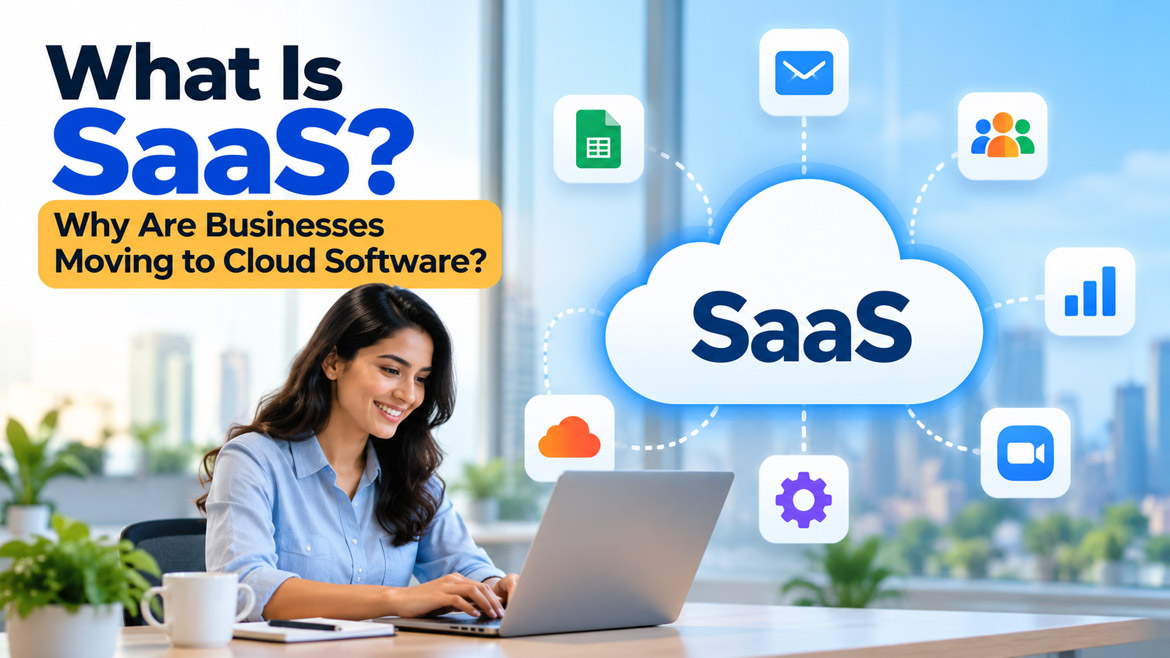
Imagine running your entire business without installing expensive software, buying powerful computers, or worrying about updates. You open a website, sign in to your account, and start working from anywhere in the world. Sounds convenient, right?
This is exactly what Software as a Service (SaaS) makes possible. From small businesses to global companies, organizations are changing the way they use technology. But why are so many businesses moving to cloud software? Is SaaS really more affordable, secure, and convenient than traditional software? Let’s explore how this technology works, why businesses love it, and how it could transform the way you run your business.
What Is Software as a Service (SaaS)?
Software as a Service, commonly called SaaS, is a way of using software through the internet instead of installing and managing everything on your own computer. You usually access the software through a web browser or mobile application. The service provider manages the software, servers, maintenance, and updates.
Think about how you use Gmail. You don’t need to install a complete email server in your office to send and receive emails. You simply sign in and start using the service. Similarly, businesses use SaaS applications to manage accounting, sales, customer information, projects, and many other daily activities.
In simple words, SaaS allows you to use software as an online service instead of owning and maintaining the entire software system yourself. Many SaaS providers charge a monthly or annual subscription, although some offer free plans or usage-based pricing.
How Does SaaS Actually Work?
Have you ever wondered what happens when you open an online application and start working? The process is simpler than you might imagine.
A SaaS provider runs its application on servers, often using cloud infrastructure. These servers store and process the information needed to run the software. When you sign in through your browser or application, your device connects to the service over the internet.
For example, imagine that you run a small company with five employees. You subscribe to an online project management application and create accounts for your team. One employee adds a task, another updates its progress, and you check the results from your laptop. Everyone works with the same shared information, subject to the access permissions you configure.
The provider manages the underlying infrastructure and software maintenance. Meanwhile, you focus on using the application to complete your work. Depending on the service, you may still need to manage user accounts, permissions, integrations, and your own data security.
What Are Some Popular Examples of SaaS?
You may already use SaaS applications without realizing it. Many familiar online services follow this model.
Here are a few examples:
– Google Workspace: Helps businesses manage email, documents, spreadsheets, video meetings, and team collaboration.
– Microsoft 365: Provides online productivity tools, email, document sharing, and collaboration features.
– Salesforce: Helps businesses manage customer relationships, sales activities, and customer information.
– Zoom: Enables online meetings, video calls, and virtual collaboration.
– Canva: Allows users to design posters, presentations, social media graphics, and other visual content.
– Shopify: Helps businesses build and manage online stores.
– Dropbox: Provides online file storage and sharing.
– QuickBooks Online: Helps businesses manage accounting, invoices, and financial records.
These applications solve different problems, but they share an important idea: users access software services without having to operate the entire underlying technology themselves.
Traditional Software vs. SaaS: What Is the Difference?
Before SaaS became widespread, many businesses purchased software licenses and installed applications on office computers or company servers. They often needed IT staff to maintain those systems, install updates, and resolve technical problems.
SaaS changes this arrangement by allowing businesses to access applications over the internet. The provider manages much of the technical infrastructure, while the customer pays according to the subscription or pricing model.
Consider a traditional accounting application. A business might need to purchase a license, install the software, maintain a compatible computer, and arrange updates. With an online accounting service, employees can usually sign in through a browser and access their permitted financial information from different locations.
However, SaaS doesn’t automatically suit every situation. Traditional software may work better when a business needs specialized offline capabilities, extensive local control, or compatibility with older systems.
The best choice depends on the company’s needs, budget, security requirements, and working environment.
Why Are Businesses Moving to Cloud Software?
Why would a business change a system that already works? The answer often comes down to flexibility, cost, collaboration, and the ability to respond quickly to changing business needs.
Today’s businesses want employees to work efficiently, customers to receive faster service, and management teams to make better decisions. They also want to avoid spending unnecessary time maintaining technology.
SaaS helps address these challenges by making software easier to access, maintain, and expand. Let’s look at the biggest reasons behind this shift.
1. Lower Initial Investment
Starting a business already involves several expenses. Office rent, salaries, marketing, equipment, and customer acquisition can consume a significant part of the budget. Expensive software can create another financial burden.
SaaS can reduce the initial investment because businesses often don’t need to purchase expensive server equipment or large software licenses upfront. Instead, they can choose a suitable subscription and begin with a smaller number of users.
For example, a startup with three employees may subscribe to an online accounting application rather than build and maintain its own accounting system. As the company grows, it can consider adding more users or upgrading its plan.
However, businesses should examine the total cost over time. Subscription fees, additional features, storage, integrations, and extra users can increase expenses. Therefore, compare the long-term subscription cost with the cost of purchasing and maintaining traditional software before making a decision.
2. Work From Anywhere
Imagine that your sales manager travels to another city for a customer meeting. The manager needs to check a quotation, review customer details, and update a sales opportunity. With a suitable cloud application, the manager can complete these tasks using an authorized device and an internet connection.
This flexibility makes SaaS especially useful for businesses with remote employees, multiple branches, field staff, and travelling sales teams.
Employees can access the same applications from the office, home, or other locations, depending on the provider’s access rules. They no longer need to depend entirely on a particular office computer to perform everyday tasks.
Nevertheless, businesses must configure secure sign-in methods and appropriate permissions. They should also prepare alternatives for situations where internet access becomes unavailable.
3. Automatic Updates and Maintenance
Have you ever delayed a software update because you were afraid it might interrupt your work? Businesses face the same challenge, especially when several employees depend on the same application.
With SaaS, the provider generally manages software updates, bug fixes, and improvements. This reduces the amount of routine maintenance that the customer’s IT team needs to perform.
For instance, an online project management platform may introduce a new reporting feature without requiring every employee to install a separate update manually.
As a result, businesses can spend less time maintaining applications and more time serving customers. However, providers may change features or interfaces, so companies should review important updates and communicate changes to employees.
4. Easy Business Growth
What happens when a company grows from five employees to fifty? With some traditional systems, expansion may require additional hardware, new software licenses, and time-consuming installation work.
SaaS can make expansion simpler. Businesses can often add users, increase storage, or upgrade to a higher plan through the provider’s administration tools.
For example, an online retailer may begin with a small team and a basic inventory application. When orders increase, the retailer might need additional user accounts, more integrations, or advanced reporting. A suitable SaaS platform can offer these options without requiring the retailer to build an entirely new system.
Still, not every application scales equally well. Businesses should check pricing limits, performance, integration options, and available support before choosing a platform.
5. Better Team Collaboration
Have you ever received three different versions of the same document from three different colleagues? It can be difficult to identify the latest version and understand which changes matter.
Cloud software helps teams collaborate using shared documents, task lists, calendars, and project dashboards. Depending on the application, several employees can work on the same document or review changes as they happen.
For example, a marketing team can plan a campaign using an online project board. The designer uploads a graphic, the copywriter updates the content, and the manager reviews the final version. Everyone can follow the same workflow without constantly exchanging files through email.
This approach reduces confusion, improves visibility, and helps teams coordinate their work. Businesses should still establish clear rules for document ownership, approvals, and access permissions.
6. Improved Customer Service
Customers expect quick responses, accurate information, and convenient service. Businesses that rely on disconnected spreadsheets and manual processes may struggle to meet these expectations.
SaaS applications can bring customer information, support requests, sales records, and communication history into one place. Customer service employees can then find relevant details more quickly and provide more consistent responses.
For example, a support representative using a customer relationship management system can review a customer’s previous requests before answering a new question. This saves time and helps the customer avoid repeating the same information.
Some platforms also offer automated email responses, customer portals, chatbots, and support ticket tracking. When businesses configure these features properly, they can improve the customer experience without increasing every manual task.
7. Easier Access to Business Data
Business owners need accurate information to make good decisions. Yet some companies still keep important records in separate spreadsheets, desktop applications, and email conversations.
Cloud applications can bring information together and present it through reports, dashboards, and searchable records. Managers can use these tools to review sales performance, monitor expenses, track inventory, and identify delays.
Imagine that you run an online store. A dashboard might show which products sell the most, which orders remain pending, and which customers have outstanding payments. These insights help you decide what to reorder and where to improve your operations.
However, a dashboard cannot guarantee accurate decisions. Employees must enter reliable information, and managers should understand what each report measures before acting on it.
8. Integration With Other Business Tools
Businesses rarely depend on a single application. They may use separate tools for email, accounting, online payments, customer management, marketing, and inventory.
Fortunately, many SaaS platforms can connect with other applications through integrations or APIs. An API is a set of rules that allows different software systems to exchange information.
For example, an online store might send order details to an accounting application automatically. A payment service could update the order status, while a customer management system records the purchase.
These connections reduce repetitive data entry and help different departments work with consistent information.
Nevertheless, businesses should check whether their chosen applications support the required integrations. Poorly designed connections can create duplicate records, incorrect data, and additional maintenance work.
9. Security and Data Protection
Is cloud software safer than software installed on your office computer? The answer depends on how the provider and the business manage security.
Established SaaS providers often invest in security teams, infrastructure monitoring, encryption, access controls, and system maintenance. These resources can be difficult for a small business to maintain independently.
At the same time, moving data to the cloud does not automatically make it secure. Weak passwords, stolen accounts, incorrect permissions, and phishing attacks can still expose business information.
Therefore, companies should choose providers with appropriate security certifications and clear data protection policies. They should enable multi-factor authentication, restrict access to sensitive information, review audit logs, and maintain suitable backups or recovery options.
Businesses must also understand where providers store their data and how they handle privacy, retention, and deletion. Organizations that manage financial, medical, or other sensitive information should pay particular attention to applicable legal and industry requirements.
10. Reliable Backup and Disaster Recovery
What would happen if your office computer failed tomorrow? Would your business lose important invoices, customer records, or project documents?
Many SaaS providers offer data redundancy, backup options, and recovery features. These capabilities can help businesses recover from certain hardware failures and service disruptions.
For example, if an employee loses a laptop, the company may still retain its cloud-based documents and business records. The administrator can secure the account, remove the lost device’s access where supported, and allow the employee to continue working on another authorized device.
However, cloud storage alone does not guarantee a complete backup. Accidental deletion, ransomware, account compromise, and synchronization errors can affect cloud data too.
Businesses should understand their provider’s backup arrangements and maintain independent backups when necessary. They should also test recovery procedures rather than assume that every lost file can be restored.
11. Faster Implementation
Traditional software projects can require hardware purchases, installation, configuration, and technical testing before employees begin using the system.
Many SaaS applications offer a faster starting point. A business can create an account, configure basic settings, invite employees, and begin using essential features without building its own infrastructure.
For example, a small company may introduce an online meeting tool or task management platform within a short period. Employees can then learn the application and begin collaborating.
Of course, more complex systems may require data migration, staff training, integration work, and security reviews. A quick sign-up does not mean every business process will be ready immediately.
Even so, SaaS often gives businesses a practical way to test a solution before committing to a large technology project.
12. Access to New Technologies
Technology changes rapidly. Businesses that depend on older applications may struggle to keep pace with new customer expectations and working methods.
Many SaaS providers regularly introduce features such as advanced analytics, automation, mobile access, and artificial intelligence. Customers may gain access to these capabilities through their existing subscriptions or optional upgrades.
For example, an online customer management system might help a sales team identify promising leads, summarize customer interactions, or automate routine follow-up tasks. These features can save time when the company uses them carefully.
However, businesses should not adopt every new feature simply because it exists. They should focus on tools that solve genuine problems, protect customer information, and deliver measurable value.
Are There Any Disadvantages of SaaS?
SaaS offers many advantages, but every business technology comes with trade-offs. Understanding the limitations helps companies make better decisions.
Internet dependency: Many SaaS applications need an internet connection. Poor connectivity may prevent employees from accessing important tools or completing urgent work.
Recurring subscription costs: Monthly and annual fees can add up over time. A company that adds many users or premium features may spend more than expected.
Limited customization: Some SaaS products allow only a certain level of customization. Businesses with unusual workflows may need a more flexible platform or a custom-built solution.
Data privacy concerns: Companies must trust the provider to manage information appropriately. They should review data storage locations, access controls, contractual terms, and privacy practices.
Vendor dependency: Moving to another platform can become difficult when a business accumulates years of records, custom integrations, and established workflows. Before choosing a provider, check its data export tools and migration options.
Service interruptions: Even reputable providers can experience outages. Businesses should understand service availability commitments and prepare a backup plan for critical operations.
The key is not to avoid SaaS because it has disadvantages. Instead, compare the benefits and risks with your business requirements.
How Can a Business Choose the Right SaaS Application?
With so many cloud applications available, choosing the right one can feel overwhelming. A good decision begins with understanding the problem you want to solve.
First, identify the business activity that needs improvement. You might want to manage customer relationships, simplify accounting, organize projects, or improve employee collaboration.
Next, compare the features, subscription plans, and expected long-term costs. Avoid paying for advanced features that your team will never use. At the same time, ensure the application supports the functions your business genuinely needs.
Security deserves equal attention. Check authentication options, access permissions, encryption, backup arrangements, data export capabilities, and relevant compliance requirements. Also, examine the provider’s support options and service availability commitments.
Finally, test the application before making a long-term commitment. Many providers offer free trials or limited free plans. Invite a small group of employees to use the software, collect their feedback, and measure whether it improves productivity.
A successful SaaS choice should make work easier, not introduce unnecessary complexity.
SaaS vs. Cloud Computing: Are They the Same?
People often use the terms SaaS and cloud computing interchangeably. However, they do not mean exactly the same thing.
Cloud computing is a broader approach to delivering computing resources over a network. These resources can include servers, storage, databases, networking, and development environments.
SaaS is one specific way to deliver software through that environment. Users access a ready-to-use application, while the provider manages much of the technology behind it.
For example, Google Workspace is a SaaS product because users access online productivity applications. A business that rents virtual servers to run its own custom application uses cloud infrastructure, but it does not automatically use SaaS for that custom application.
In simple terms, cloud computing provides the broader technology foundation, while SaaS provides software that customers can use as a service.
What Is the Future of SaaS?
The future of SaaS will likely focus on making business software more connected, intelligent, and easier to use. Artificial intelligence, automation, and data analytics are already influencing how many applications help people complete everyday tasks.
Imagine an online business system that summarizes sales performance, identifies unusual expenses, prepares a first draft of a customer email, and reminds employees about overdue tasks. Such capabilities can help teams reduce repetitive work and focus on decisions that need human judgment.
Another important direction involves connecting applications. Businesses increasingly want their accounting, sales, inventory, customer support, and marketing systems to exchange information smoothly.
At the same time, companies will need to manage new challenges involving privacy, AI accuracy, security, and dependence on software providers. Businesses that choose technology carefully and train their employees effectively will be better prepared to benefit from these changes.
SaaS will not eliminate every traditional application or solve every business problem. Nevertheless, it gives organizations a flexible way to adopt useful technology without managing every technical detail themselves.
Final Thoughts: Is SaaS the Right Choice for Your Business?
Software as a Service has changed how businesses access and manage technology. Instead of investing heavily in software infrastructure, companies can subscribe to applications that help them communicate, serve customers, manage finances, and organize daily operations.
Its biggest advantages include flexible access, easier maintenance, simpler expansion, and improved collaboration. However, businesses must also consider subscription costs, internet dependency, security, and the difficulty of switching providers.
Ultimately, the best technology is not the one with the most features. It is the one that solves real problems, supports your employees, protects your information, and helps your business grow.
Now, think about your own business. Are you still spending valuable time managing software, exchanging files, and handling repetitive tasks when cloud applications could make the work easier? If you know a business owner who could benefit from SaaS, share this article with them. Your recommendation might help another business save time, reduce unnecessary costs, and discover a smarter way to work.
Frequently Asked Questions (FAQs)
1. What is Software as a Service (SaaS) in simple words?
Software as a Service is a way to use applications over the internet without installing and maintaining the entire software system yourself. Users typically access the application through a browser or mobile app and pay a subscription when required.
2. What are some examples of SaaS applications?
Popular examples include Google Workspace, Microsoft 365, Salesforce, Zoom, Canva, Shopify, Dropbox, and QuickBooks Online. These applications help businesses manage productivity, communication, customer relationships, design, online sales, and accounting.
3. Why are businesses moving to SaaS?
Businesses choose SaaS for several reasons, including lower initial investment, remote access, automatic updates, easier collaboration, flexible expansion, and access to modern features. However, the actual benefits depend on the application, pricing, and business requirements.
4. Is SaaS secure for business use?
SaaS can offer strong security features, including encryption, access controls, and multi-factor authentication. However, businesses must choose trustworthy providers, configure security settings correctly, protect user accounts, and maintain suitable backup and recovery plans.
5. What is the difference between SaaS and traditional software?
Traditional software often requires local installation and more direct maintenance by the customer. SaaS generally runs through an online service that the provider maintains. SaaS offers convenient access and simpler updates, while traditional software may provide greater local control or better offline support.