

Imagine someone walks into your office and says, “I work here, so please give me access to every computer, customer record, and confidential file.” Would you allow it without checking their identity?
Probably not. Yet, many businesses have followed a similar approach to cybersecurity for years. They trusted people and devices simply because they were already inside their network. Unfortunately, cybercriminals have learned how to exploit that trust. Today, a stolen password, a hacked laptop, or one careless click can open the door to an entire business. This is where Zero-Trust Security changes everything.
What if your business never trusted anyone automatically, even its own employees?
That simple idea could make a huge difference in protecting your digital world.
What Is Zero-Trust Security?
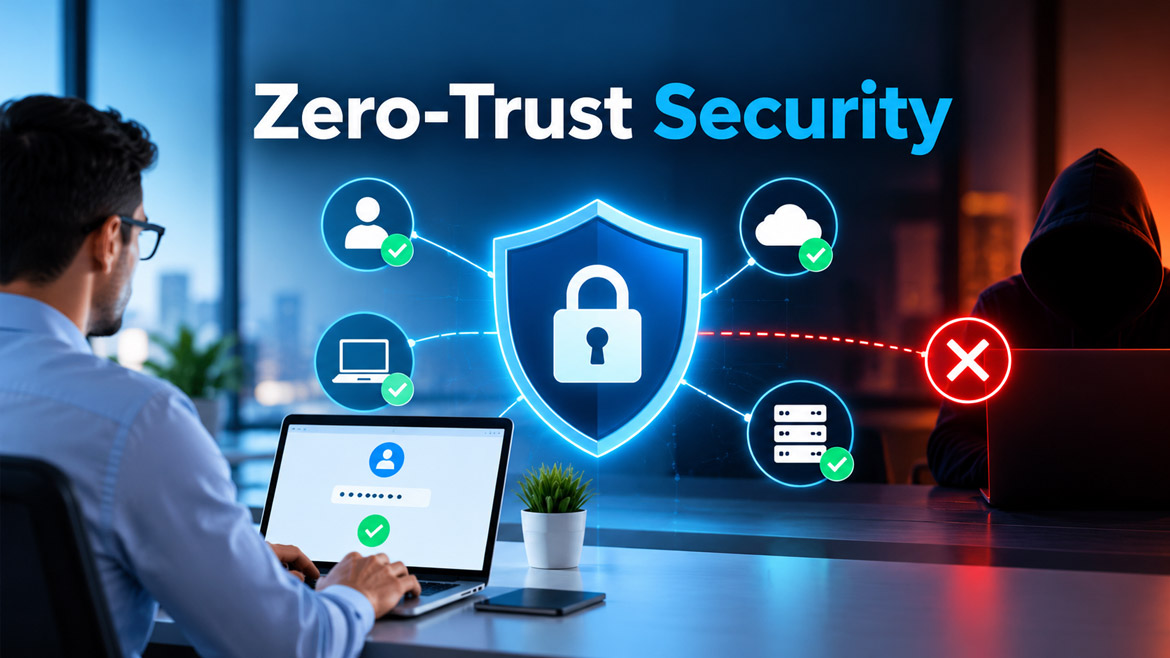
Zero-Trust Security is a cybersecurity approach that never grants automatic trust to a user, device, or application. Instead, it checks every access request before allowing someone to reach sensitive information. In simple words, never trust automatically; always verify first.
Think of Zero Trust as a security guard who checks everyone’s identity before allowing entry. The guard does not care whether someone works for the company or visits the office every day. Everyone must prove their identity and receive permission to enter the required area.
Similarly, Zero Trust checks who you are, which device you use, what information you want, and whether you have permission to access it. It can also check whether your request looks suspicious.
However, Zero Trust does not mean distrusting every employee personally. Instead, it means protecting business information through careful verification rather than assumptions. This approach helps businesses reduce security risks, even when attackers manage to enter their networks.
Why Is Traditional Cybersecurity No Longer Enough?
For many years, businesses followed a simple security model. They built a strong wall around their internal computer networks and trusted anyone who entered that wall. People often compare this model to a castle surrounded by a protective wall.
Imagine a castle with a strong gate. Once a visitor passes through the gate, they can walk freely through many areas. What happens if an attacker steals a guard’s key or tricks someone into opening the gate? The castle’s other rooms may suddenly become vulnerable.
Traditional network security often worked in a similar way. Firewalls, passwords, and antivirus software protected company systems from outside threats. However, attackers found ways to steal employee credentials, infect trusted devices, and exploit weaknesses in applications.
Moreover, modern businesses no longer keep all their information inside one office network. Employees work from home, teams use cloud applications, and companies store customer data across different platforms. As a result, the old idea of trusting everything inside the network has become increasingly risky.
Zero Trust addresses this problem by checking access requests continuously according to the organisation’s security policies, rather than relying only on network location.
How Does Zero-Trust Security Work?
You might wonder how a security system can verify every request without making everyday work difficult. Zero Trust achieves this through several connected security practices.
1. Verify Every User’s Identity
First, the system checks who wants to access a resource. A username and password may provide some evidence, but they might not prove enough on their own.
For example, imagine a hacker steals an employee’s password through a fake email. If the company relies only on that password, the hacker might enter the system successfully.
Zero Trust can require additional checks, such as a one-time code, an authentication app, or a security key. These extra checks make it harder for attackers to misuse stolen passwords.
2. Check the Device Before Granting Access
Next, the system checks whether the device meets the company’s security requirements. A genuine employee might use an infected laptop or a phone with outdated software.
Would you allow a visitor to enter a secure laboratory carrying contaminated equipment? Of course not. Likewise, a company can restrict access from devices that lack important security updates or required protection.
For example, an organisation might allow access from a managed laptop with current security updates but block a device that fails its security checks.
3. Give Users Only the Access They Need
Another important principle is least-privilege access. It means giving people only the permissions they need to perform their jobs.
Consider a school with teachers, accountants, and administrators. Teachers need student learning records, while accountants need financial information. However, teachers do not necessarily need access to payroll records.
A Zero-Trust system limits access according to each person’s role and responsibilities. Therefore, if an attacker compromises a teacher’s account, the attacker cannot automatically access every other department’s information.
4. Check Access Requests Against Security Policies
Zero Trust does not simply ask, “Who are you?” It also considers the circumstances surrounding an access request.
For example, an employee usually signs in from Chennai during office hours. Suddenly, the same account attempts to download thousands of confidential files from an unfamiliar device at an unusual time.
Such activity may indicate a security risk. Depending on the company’s policies, the system might request additional verification, restrict access, or block the request.
Importantly, unusual activity does not always indicate an attack. The organisation must apply sensible rules to avoid unnecessarily blocking legitimate employees.
5. Monitor Activity and Respond to Threats
Finally, Zero Trust supports ongoing monitoring of users, devices, applications, and access activity. Security teams can look for suspicious behaviour and respond when risks change.
For instance, a user might pass the initial login checks but later attempt to access unrelated financial records. The system can apply additional restrictions or trigger an investigation.
This ongoing approach helps businesses identify problems earlier. However, monitoring alone cannot prevent every attack. Companies still need good security practices, effective incident response, and properly configured systems.
What Are the Main Principles of Zero Trust?
Zero Trust relies on several important principles that work together to protect business information.
Never trust automatically: Every access request must meet the organisation’s verification requirements, regardless of whether it comes from inside or outside the company network.
Use least-privilege access: Give every user and application only the permissions necessary for its tasks. This limits the damage an attacker can cause after compromising an account.
Assume a breach is possible: Build security with the understanding that an attacker might eventually bypass one defence. Separate sensitive systems and limit unnecessary connections to reduce the impact.
Verify using multiple signals: Consider identity, device security, requested resources, and relevant risk indicators. Do not depend on a single password or a user’s network location.
Monitor and improve continuously: Review security activity, update access policies, remove unnecessary permissions, and respond to new threats as they emerge.
Together, these principles create multiple layers of protection rather than relying on one strong barrier.
A Simple Real-Life Example of Zero Trust
Let’s understand Zero Trust through a situation that many people can easily imagine.
Suppose you own a company that develops websites and software. Your employees work from the office, their homes, and sometimes while travelling. They need access to customer details, project files, company email, and financial documents.
One morning, a cybercriminal steals the password of a developer through a fake login page. The criminal tries to enter your company’s systems.
With a weak security setup, the stolen password might be enough to access important information. However, a properly designed Zero-Trust environment can create several barriers.
First, the system requests additional authentication. Next, it checks whether the device meets security requirements. Even if the attacker passes those checks, the account receives access only to authorised resources.
The developer’s account cannot automatically open confidential financial records or another employee’s private files. Meanwhile, unusual download activity may trigger alerts for the security team.
Can you see the difference? Zero Trust does not depend on one perfect defence. Instead, it reduces the chances that one stolen password will expose the entire business.
Why Is Zero-Trust Security Important Today?
Cybersecurity threats continue to evolve, and businesses face risks from many directions. Zero Trust helps organisations address several challenges that traditional security measures may not handle effectively on their own.
1. Employees Work from Anywhere
Today, employees can work from home, hotels, shared offices, or different countries. They no longer need to sit inside a company building to access business information.
However, remote access introduces new risks. An employee might connect through an unsecured network or use a device that lacks important updates. Zero Trust checks access requests against security policies regardless of the user’s location.
2. Password Theft Can Cause Serious Damage
Have you ever received an email claiming that your bank account needs urgent verification? Cybercriminals often use similar messages to trick people into revealing passwords.
Once attackers obtain valid login details, they may pretend to be genuine users. Zero Trust reduces this risk through additional authentication, limited permissions, and suspicious-activity detection.
3. Cloud Applications Create New Security Challenges
Businesses now depend on cloud services for email, file storage, customer management, accounting, and collaboration. These services make work easier, but they also create more places that need protection.
Zero Trust helps companies control access across cloud applications and internal systems. Instead of trusting a user because they connected through the company network, the organisation checks each request against its security policies.
4. A Single Compromised Account Should Not Expose Everything
Imagine that an attacker gains access to one employee’s account. Should that give the attacker access to the entire company? Absolutely not.
Zero Trust helps limit the damage by separating systems, restricting permissions, and controlling connections between resources. Although these measures cannot eliminate every risk, they can prevent a small security incident from becoming a much larger disaster.
5. Businesses Must Protect Customer Information
Companies collect names, phone numbers, email addresses, payment details, and other sensitive information. A data breach can damage customer trust and disrupt business operations.
Zero Trust helps businesses restrict access to sensitive records and monitor how people use them. Nevertheless, organisations must also follow applicable privacy laws and protect information through secure storage, backups, encryption, and other safeguards.
Zero Trust vs Traditional Security: What Is the Difference?
The main difference lies in how each approach handles trust. Traditional security often relies heavily on a protected network boundary. Zero Trust focuses on verifying access to individual resources, even after someone enters the network.
| Traditional security approach | Zero-Trust approach |
| Relies heavily on the network boundary | Verifies access to individual resources |
| May trust users after they enter the network | Requires access requests to meet security policies |
| Often focuses on passwords and perimeter protection | Combines identity, device checks, permissions, and other controls |
| May allow broad access within a network | Limits access to necessary resources |
| Can overlook suspicious activity after login | Supports ongoing monitoring and risk-based decisions |
| Often struggles with complex remote and cloud environments | Supports security across office, remote, and cloud environments |
Does this mean traditional security tools have become useless? Not at all. Firewalls, antivirus software, encryption, and secure network configurations remain valuable. Zero Trust builds on these protections by adding stronger access controls and verification.
What Are the Benefits of Zero-Trust Security?
Zero Trust offers several practical benefits for organisations of different sizes.
Stronger protection against account theft: Additional authentication and access restrictions make it harder for attackers to misuse stolen credentials.
Reduced risk of data breaches: Limited permissions and controlled connections can prevent attackers from reaching every resource after compromising one account.
Safer remote working: Employees can access approved business applications from different locations while following consistent security requirements.
Better visibility: Monitoring access activity can help security teams identify unusual behaviour and investigate potential threats.
Improved control over sensitive information: Businesses can define which employees, applications, and devices may access particular resources.
Support for compliance efforts: Access controls, security logs, and documented policies can help organisations meet certain regulatory and contractual requirements. However, Zero Trust alone does not guarantee compliance.
Most importantly, these benefits depend on proper implementation. A company must configure its controls correctly, review them regularly, and train employees to recognise security threats.
Does Zero Trust Mean Trusting Nobody?
The name might sound harsh, but Zero Trust does not mean treating every employee like a criminal. It means removing automatic trust from the security process.
Think about an airport. Even passengers with valid tickets must pass through identity and security checks. Staff members also follow access rules for restricted areas. These checks protect everyone without suggesting that every person has bad intentions.
Zero Trust follows a similar principle in the digital world. Employees can work normally once they satisfy the required security checks and receive the correct permissions.
Furthermore, organisations can make verification less disruptive through single sign-on, security keys, and other convenient authentication methods. The goal is not to create unnecessary obstacles. Instead, it is to make secure access the easiest reliable way to work.
What Are the Challenges of Implementing Zero Trust?
Although Zero Trust improves security, implementing it requires careful planning. Businesses should understand the possible challenges before starting.
Initial Cost and Investment
Some organisations need new security tools, identity management systems, device controls, or specialist support. These investments can create difficulties for small businesses with limited budgets.
However, companies can begin with important accounts, sensitive information, and critical applications. A phased approach helps them improve security without replacing every system immediately.
Employee Convenience
Frequent authentication requests and strict access restrictions can frustrate employees if the organisation configures them poorly. Too many unnecessary checks may interrupt daily work.
Therefore, companies should balance security with usability. They can apply stronger checks to sensitive activities and use risk-based policies where appropriate.
Complex Existing Systems
Large organisations often operate older software, multiple cloud platforms, and systems that do not easily support modern security controls. Connecting everything can take time and technical expertise.
A practical solution involves identifying critical systems first, mapping access requirements, and upgrading systems gradually. Businesses should also review compatibility before purchasing new security products.
Continuous Management
Zero Trust is not a one-time installation. Employees change roles, devices become outdated, and business applications evolve.
Organisations must regularly review permissions, update policies, investigate alerts, and remove accounts that no longer need access. Without this ongoing attention, security gaps can develop over time.
How Can a Small Business Start Using Zero Trust?
Do you think Zero Trust is only for banks, large corporations, and government organisations? Not necessarily. Small businesses can adopt its principles without immediately purchasing an expensive security platform.
Here are six practical steps to get started.
Step 1: Protect important accounts. Enable multi-factor authentication for email, administrator accounts, cloud services, and other important business systems.
Step 2: Give each employee the right permissions. Ensure employees can access the files and applications they need, but restrict unnecessary access to financial records, customer information, and administrative settings.
Step 3: Secure company devices. Keep computers and mobile devices updated. Use supported security software, device locks, and appropriate protection against malware.
Step 4: Review access regularly. Remove accounts belonging to former employees and update permissions when team members change roles. Avoid sharing administrator accounts.
Step 5: Protect sensitive information. Use encryption, secure backups, access restrictions, and approved file-sharing methods. Never rely on access controls alone to protect important business data.
Step 6: Monitor suspicious activity. Review important security alerts and sign-in records. Establish a clear response plan for compromised accounts, lost devices, and suspected data breaches.
For a small IT company, these measures provide a sensible starting point. As the business grows, it can introduce more advanced tools, centralised identity management, device compliance checks, and automated security monitoring.
The key is to improve security step by step rather than waiting for a major incident to force action.
Is Zero Trust the Future of Cybersecurity?
Zero Trust has become an important security approach because modern businesses operate across networks, devices, cloud services, and remote locations. A single network boundary can no longer provide all the protection an organisation needs.
As cyberattacks become more sophisticated, businesses must make security decisions based on identity, permissions, device health, and the context of each request. Zero Trust provides a framework for bringing these controls together.
However, no security strategy can promise complete protection. Organisations still need employee awareness, secure software development, reliable backups, vulnerability management, and effective incident response.
Zero Trust works best when companies treat security as an ongoing responsibility rather than a product they install and forget. Businesses that combine strong technology with sensible policies can build a more resilient digital environment.
Frequently Asked Questions About Zero-Trust Security
1. What is Zero-Trust Security in simple words?
Zero-Trust Security is an approach that checks every access request before allowing someone to use a system or information. It does not automatically trust users, devices, or applications, even when they belong to the organisation.
2. Why do businesses need Zero-Trust Security?
Businesses need Zero Trust to reduce risks from stolen passwords, compromised devices, insider threats, and unauthorised access. It helps protect sensitive information, especially when employees work remotely or use cloud applications.
3. Is Zero-Trust Security better than traditional cybersecurity?
Zero Trust can strengthen traditional cybersecurity by adding identity verification, restricted permissions, and ongoing monitoring. However, it does not replace essential tools such as firewalls, antivirus software, encryption, and secure backups. Businesses benefit most when they combine these protections.
4. Can small businesses implement Zero Trust?
Yes. Small businesses can start by enabling multi-factor authentication, limiting employee permissions, securing devices, and reviewing user accounts regularly. They can introduce advanced security tools as their needs and budgets grow.
5. Does Zero Trust prevent all cyberattacks?
No. Zero Trust reduces security risks but cannot prevent every cyberattack. Attackers may still exploit software vulnerabilities, trick employees, or misuse authorised access. Businesses must combine Zero Trust with security training, regular updates, monitoring, backups, and incident response planning.
Final Thoughts: Should We Trust Technology Without Verification?
The digital world offers incredible opportunities, but it also creates risks that businesses cannot afford to ignore. A password can be stolen, a device can become infected, and a trusted account can fall into the wrong hands. Zero-Trust Security reminds us that one successful login should never open every digital door. By verifying access, limiting permissions, and monitoring suspicious activity, businesses can protect their information without stopping people from working efficiently.
Remember, strong cybersecurity does not depend on trusting everyone. It depends on making sure every access request earns the right level of trust. Now, ask yourself one important question: if someone stole your password today, could they access all your business data tomorrow? If you are unsure of the answer, perhaps it is time to rethink your security strategy. Share this article with your colleagues, friends, and business owners. You might help someone discover a security weakness before a cybercriminal does.