

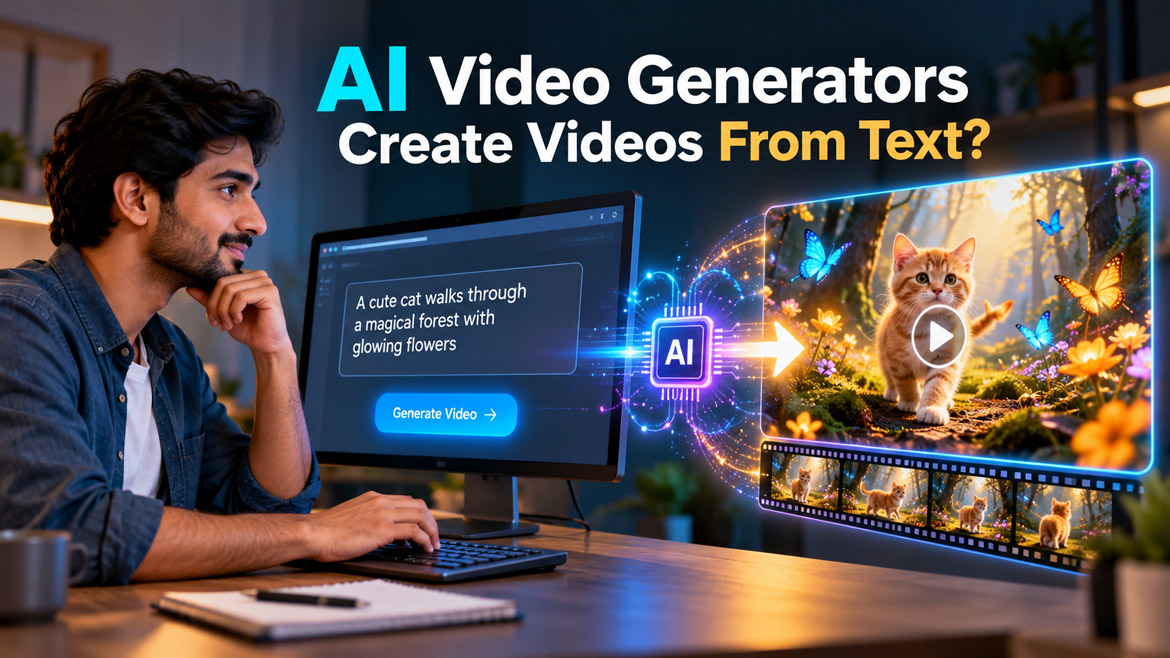
Imagine typing a simple sentence into a computer: “A tiny orange cat walks through a magical forest filled with glowing flowers, while golden butterflies fly around it.” Within minutes, an AI tool can turn those words into a video with moving characters, beautiful scenery, lighting, and even sound.
You do not need a camera, actors, expensive equipment, or professional video editing skills. Sounds unbelievable, doesn’t it?
Yet, this technology already exists, and it is changing how people create videos. But have you ever wondered how a computer understands your words and turns them into moving pictures?
Let’s explore the fascinating world of AI video generators and discover what happens behind the scenes.
What Is an AI Video Generator?
An AI video generator is a tool that creates videos using artificial intelligence. Instead of recording everything with a camera, you describe what you want to see. The tool then uses your description to generate a video that matches your idea as closely as possible.
For example, you could type, “A futuristic city at night, with flying cars, neon lights, and heavy rain.” The AI attempts to create a video showing that scene. Some tools can also generate background sounds, music, dialogue, and realistic sound effects.
Moreover, many AI video generators accept images as references. You can upload a picture of a character, product, or location and ask the AI to animate it. This feature gives creators more control over the final result.
How Does AI Understand Your Text Prompt?
Before an AI video generator creates anything, it must understand your instructions. However, computers do not understand sentences in the same way humans do. They use trained AI models to identify patterns, relationships, and meanings in language.
Let’s take a simple example: “A red sports car races along a coastal road at sunset.” The AI needs to identify the main subject, its action, the location, and the lighting. It must also understand how these elements relate to one another.
The words “red sports car” describe the main subject, while “races” describes its movement. “Coastal road” provides the setting, and “at sunset” describes the lighting and atmosphere. The AI uses these details to guide video creation.
This process often involves a language-processing component that converts your prompt into a form the video-generation model can use. Some systems combine language understanding and video generation within a larger model.
Therefore, the more clearly you describe your idea, the easier it becomes for the AI to interpret your creative intention. However, a detailed prompt does not guarantee a perfect result because the model must still generate a plausible visual scene.
Step 1: The AI Learns From Thousands or Millions of Examples
Have you ever wondered how an AI knows what a cat looks like, how water flows, or how a person walks?
The answer begins with training. Developers train AI models using large collections of video clips, images, text descriptions, and other data, depending on the model’s design. During training, the AI learns patterns that connect words with visual appearances and movements.
For instance, after learning from many examples of dogs running, the model can develop an understanding of how a dog’s body, legs, and surroundings typically change during movement. It can also learn the visual differences between a sunny beach, a snowy mountain, and a busy city.
The AI does not simply store every training video and copy it whenever someone enters a prompt. Instead, it learns statistical patterns that help it generate new content. Its training allows it to combine familiar visual concepts in ways that can produce original scenes.
Nevertheless, the model’s knowledge has limitations. It may struggle with unusual objects, complex physical actions, or details that rarely appear in its training data.
Step 2: The AI Converts Your Prompt Into a Visual Plan
Once the AI interprets your prompt, it needs to connect your words with the visual content it should create.
Suppose you enter this prompt: “A golden sphere rolls slowly across a dark wooden floor in a luxury studio.” The AI must work with several connected ideas: a golden sphere, rolling movement, a wooden floor, a dark environment, and studio lighting.
The model uses the relationships between these concepts to guide the generation process. Depending on its architecture, it may represent information through numerical patterns, internal features, or other learned representations.
Think of this stage as giving instructions to a film director. The director needs to know which objects belong in the scene, what they should do, and how the environment should look.
However, AI video models do not always create a separate, fixed storyboard before generating the video. Some models work with text and video information together throughout the generation process.
The important point is that your prompt guides the AI towards a particular visual result rather than specifying every pixel and movement individually.
Step 3: The AI Starts With Random Noise or a Simplified Representation
Here comes one of the most interesting parts of AI video generation.
Many popular video-generation systems use a technique called diffusion. These models learn to create visual content by gradually transforming noisy data into a meaningful image or video. Other architectures use different generation methods, so not every AI video generator follows exactly the same process.
What does noise mean here? Imagine looking at a television screen filled with random dots and colours. At first, you cannot recognise any meaningful picture. A diffusion model learns how to turn such unstructured patterns into content that matches its training and the user’s prompt.
During generation, the model repeatedly refines its current representation. Gradually, the scene begins to take shape. A vague arrangement of visual information can develop into recognisable objects, textures, colours, and backgrounds.
For video generation, the process must also account for time. The model needs to create visual information that represents a sequence rather than a single still image.
It may work with compressed representations of video instead of directly processing every pixel. This approach can reduce the amount of information the model needs to handle.
The result is a generated video that increasingly matches the requested scene as the model completes its generation steps.
Step 4: How Does AI Make Objects Move?
Creating one beautiful image is challenging enough. Making that image move naturally introduces another level of complexity.
Imagine asking an AI to create a video of a cat jumping onto a table. The model must generate more than a cat and a table. It needs to produce a sequence in which the cat bends its legs, pushes off the ground, moves through the air, and lands on the table.
Each moment must relate sensibly to the moments before and after it. Otherwise, the cat might suddenly change shape, jump in an unnatural direction, or appear to teleport.
AI video models learn patterns of motion from training videos. They learn how objects, people, animals, and environments often change over time. During generation, the model uses those learned patterns to predict a plausible visual sequence.
Some models generate several frames together, while others use different approaches to maintain temporal relationships. In either case, the model must balance the appearance of individual frames with consistency across the entire clip.
However, AI does not always understand real-world physics perfectly. A bouncing ball may change shape unexpectedly, or a person may move their arms in an unnatural way.
That is why realistic movement remains one of the biggest challenges in AI video generation.
Step 5: How Does AI Keep the Video Consistent?
Imagine creating a 10-second video of the same character walking through a garden. The character looks perfect in the opening moment, but halfway through the video, its face changes and its clothes become different.
Would you enjoy watching that video? Probably not.
This problem involves temporal consistency. The AI needs to maintain important visual details across different moments. These details include a character’s appearance, clothing, body shape, the position of objects, and the overall environment.
To improve consistency, video models can learn relationships between frames and use different techniques to preserve visual information over time. Some tools also offer reference-image features, character references, or controls that help guide the output.
For example, uploading a clear image of your main character can help the tool reproduce its appearance more consistently. A carefully written prompt can reinforce details such as fur colour, clothing, and the surrounding environment.
Still, consistency is not guaranteed. A character might look slightly different between shots, particularly when the camera angle changes or the action becomes complicated.
For creators who want to produce a series of connected videos, maintaining the same character and visual style requires careful planning and repeated testing.
Step 6: How Does AI Create Lighting, Colours, and Realistic Details?
Have you noticed how a professional movie can make an ordinary object look extraordinary through lighting alone?
A golden object under soft studio lighting may look elegant, while the same object under harsh lighting may appear flat or artificial. AI video generators attempt to reproduce these visual relationships using patterns learned during training.
Your prompt can influence the atmosphere. Words such as “cinematic lighting,” “soft shadows,” “dark background,” “shallow depth of field,” and “photorealistic details” guide the model towards particular visual styles.
For example, a prompt describing a shiny glass sphere in a dark studio may encourage the AI to create reflections, highlights, and shadows that make the sphere appear three-dimensional.
The model can also generate details such as fabric textures, water droplets, reflections on metal, and leaves moving in the wind. However, it may invent details that look convincing without following real-world physics exactly.
Consequently, the final quality depends on the model, the prompt, the available generation settings, and the complexity of the scene.
Step 7: How Does AI Generate Sound and Dialogue?
A video becomes much more engaging when the sound matches the action. Imagine watching a video of someone cracking a glass-like object, but hearing the sound of a car engine instead. The mismatch would immediately feel strange.
Some modern AI video tools can generate sound alongside video. Depending on the tool, this may include dialogue, footsteps, environmental sounds, music, or action-specific effects.
Audio generation models learn patterns from sound recordings and their associated descriptions. They can use these patterns to generate sounds that fit a requested scene.
For example, you might ask for a video of a wooden object being carved, accompanied by the sound of a chisel cutting wood. An audio-capable model may attempt to generate the carving sound in time with the visible action.
Some systems generate audio and video together, while others use separate models or processes. A video generator without built-in audio may require an external sound-generation tool or manual editing.
Even when a tool generates both, perfect synchronisation does not always happen. The sound of a footstep might occur slightly before the foot touches the ground, or the generated sound may not match the material shown.
Therefore, creators should check the audio carefully and adjust it when necessary.
Step 8: Why Do AI Video Generators Take Time to Create a Video?
If AI can create videos automatically, why can’t every tool generate a perfect 4K movie in a few seconds?
The answer lies in computing power and the amount of information involved.
A video contains many images, and each image includes visual details. The model must generate a sequence that looks coherent, follows the prompt, and often maintains realistic motion. Generating longer videos or higher-resolution output generally requires more computation.
Many AI video services use powerful graphics processors in cloud data centres. These processors perform the mathematical calculations needed during generation.
The service may also need to manage other tasks, such as interpreting your prompt, preparing the generation, producing audio, and converting the result into a downloadable video file.
As a result, generation time depends on several factors. These include video duration, resolution, model complexity, demand on the service, and the processing method.
A short clip may finish quickly, while a longer or more detailed clip may take considerably more time. Some tools also offer different quality settings that trade generation speed against visual detail.
Step 9: How Does AI Turn a Text Prompt Into a Downloadable Video?
Once the model completes its generation process, the service needs to prepare the result for viewing.
Depending on the tool, it may convert the generated visual sequence into video frames, combine those frames with audio, and encode the result into a standard video format such as MP4.
The service may then let you preview the clip, download it, or send it directly to an editing workflow. Some tools also offer options to extend a video, change its aspect ratio, or generate alternative versions.
For example, you could create a vertical video for YouTube Shorts or Instagram Reels. Alternatively, you could generate a landscape video for a website, presentation, or longer YouTube upload.
However, downloading a video does not mean every detail will look perfect. You should review the output for visual glitches, strange movements, inconsistent objects, and audio problems.
A few small edits can often make the final result much more professional.
Step 10: Why Does the Same Prompt Produce Different Videos?
Have you ever entered the same prompt twice and received two different results?
This behaviour is normal for many AI generation systems. Some tools use random starting values or other sampling choices during generation. These choices can lead to different scenes even when you keep the prompt unchanged.
For example, the prompt “A golden sphere in a luxury studio” might produce a sphere on a marble floor in one attempt and a wooden floor in another. The lighting, camera angle, and object placement may also change.
The model generates a possible result based on its learned patterns and the generation settings. It does not follow a complete, fixed blueprint that guarantees identical results every time.
Some tools provide a seed or other controls that can improve repeatability. However, even with such controls, changing the model, settings, or other inputs may affect the output.
If your first attempt looks disappointing, try refining the prompt rather than abandoning the idea. Describe the camera position, lighting, background, movement, and important visual details more clearly.
Sometimes, the best result appears only after several attempts.
What Is the Difference Between Text-to-Video and Image-to-Video AI?
Both methods create videos, but they start from different inputs.
Text-to-video allows you to describe a scene using words. The AI creates the visual content based on your instructions. This approach works well when you want to explore a new idea without preparing an image first.
Image-to-video starts with an existing picture. The AI uses that picture as a visual reference and generates movement around it. For instance, you could upload a picture of a cat beside a colourful sphere and ask the AI to make the cat walk around the sphere.
Image-to-video can be especially useful when you want to maintain a particular character, product, or composition. However, the model may still change details during movement.
Some tools combine both approaches. You can upload a reference image and provide a text prompt explaining how the scene should move.
For creators who want greater control over the final result, combining text prompts with reference images can be more effective than relying on text alone.
What Are the Most Popular Uses of AI Video Generators?
AI video generation has opened new possibilities for individuals and businesses. You no longer need a complete film crew to experiment with many types of visual content.
Here are some common applications:
1. YouTube videos and Shorts: Creators can develop eye-catching scenes, storytelling clips, product reveals, animations, and visual experiments.
2. Marketing and advertising: Businesses can create promotional videos, product demonstrations, and campaign visuals without arranging every scene in a physical studio.
3. Education: Teachers and content creators can illustrate scientific concepts, historical events, or difficult ideas through animated explanations.
4. Entertainment: Filmmakers and artists can explore imaginary worlds, fantasy scenes, characters, and visual effects.
5. E-commerce: Businesses can experiment with product animations and lifestyle visuals that help customers understand their products.
6. Social media content: Individuals can create short videos for Instagram Reels, TikTok, and YouTube Shorts using simple text descriptions.
Nevertheless, AI-generated content still requires human judgement. Creators must choose useful ideas, guide the model, review the output, and ensure that their videos meet platform rules and audience expectations.
What Are the Limitations of AI Video Generators?
AI video generation has improved rapidly, but it still has several limitations.
First, the model may misunderstand your prompt. You might request a small object and receive a much larger one, or ask for a specific movement and receive something different.
Second, the AI may struggle with hands, faces, text, complex interactions, and precise object relationships. It can also produce inconsistent details between frames.
Third, longer videos often create additional challenges. Maintaining the same characters, locations, and actions across many scenes can require reference images, multiple generations, and careful editing.
Fourth, high-quality generation may require paid subscriptions or limited credits. Some tools also restrict video length, resolution, or access to advanced features.
Finally, creators must consider copyright, privacy, consent, and the potential misuse of realistic synthetic videos. They should avoid misleading viewers and respect the rights of people whose likenesses or creative work they use.
Understanding these limitations helps you choose the right tool and set realistic expectations.
How Can You Write a Better Prompt for AI Video Generation?
The prompt plays an important role in guiding the final result. A vague description gives the model considerable freedom, while a well-structured prompt communicates your intention more clearly.
For example, consider this simple prompt: “A cat near a ball.”
The description provides very little information about the scene. Now compare it with this version:
“A fluffy orange cat slowly walks around a giant golden sphere in a dark luxury studio. Warm cinematic lighting highlights the sphere’s reflective surface. The camera moves closer as the cat gently touches the sphere with one paw. Realistic fur, smooth natural movement, clean background, vertical 9:16 composition.”
The second prompt explains the subject, action, environment, lighting, camera movement, visual style, and aspect ratio. This gives the AI more useful guidance.
For better results, include these important elements:
- Subject: What should appear in the video?
- Action: What should the subject do?
- Environment: Where does the scene take place?
- Lighting: Should the scene look bright, dark, warm, or dramatic?
- Camera movement: Should the camera zoom in, pan, follow the subject, or remain still?
- Visual style: Do you want realism, animation, fantasy, or a cinematic look?
- Sound: Should the video include footsteps, environmental sounds, or other effects?
- Format: Do you need a vertical video, landscape video, or square composition?
However, avoid adding too many unrelated actions to a short clip. A simple scene with one clear action often produces a more convincing result than a complicated scene with several competing instructions.
Will AI Video Generators Replace Human Video Creators?
As AI video tools become more capable, many people wonder whether they will replace traditional video creators.
The answer is more complicated than a simple yes or no. AI can automate parts of video production, reduce the need for expensive equipment, and help creators experiment with ideas quickly. It can also make visual content accessible to people who lack advanced editing skills.
However, successful video creation involves more than generating images. Creators need storytelling, timing, creativity, emotional understanding, sound design, editing, and knowledge of their audience.
For example, an AI tool might generate a beautiful scene, but a human creator decides whether that scene fits the story, whether the opening captures attention, and whether the ending leaves viewers satisfied.
Therefore, AI is more useful when creators treat it as a creative assistant rather than expecting it to make every decision perfectly.
The people who learn to combine their own ideas with AI tools may find new opportunities to produce content more efficiently and explore creative possibilities that once seemed impossible.
The Future of AI Video Generation
The future of AI video generation looks exciting. Developers continue to improve motion quality, character consistency, image resolution, audio generation, and control over scenes.
As these systems develop, creators may gain better ways to guide camera movements, maintain characters across multiple shots, and generate longer sequences with fewer visual mistakes. Tools may also become easier to use, allowing people to describe complex scenes in everyday language.
Imagine creating a short film by describing each scene in a conversation. You could adjust the lighting, change a character’s expression, modify the camera angle, and add matching sound without learning complicated editing software.
Although we cannot predict exactly how quickly these developments will happen, AI video generation already offers a powerful new way to turn imagination into visual content.
The technology will continue to evolve, but one thing remains important: the quality of a video depends not only on the tool, but also on the idea behind it and the care taken to bring that idea to life.
Final Thoughts: Your Imagination Can Become Your Next Video
AI video generators are changing the way we think about filmmaking and creativity. By combining language understanding, learned visual patterns, video-generation techniques, and sometimes audio generation, these tools can transform a simple written idea into a moving scene.
You do not need to understand complex mathematics to start experimenting. Begin with a simple idea, describe it clearly, generate a short clip, and improve the result step by step. As you practise, you will discover how small changes to your prompt can produce surprisingly different results.
Perhaps the next unforgettable video will not begin with a camera, an expensive studio, or a professional film crew. Instead, it may begin with a single sentence typed by someone sitting at home.
Now, here is a question for you: If you could turn any idea from your imagination into an AI-generated video today, what would you create first? Would you make a fantasy adventure, a realistic nature film, a product advertisement, or something completely unexpected? Share this article with a friend who loves technology or video creation, and ask them the same question. Who knows? Your next conversation could inspire an amazing video that neither of you had imagined before.
Frequently Asked Questions (FAQs)
1. How do AI video generators create videos from text?
AI video generators analyse your text prompt and use patterns learned during training to create a matching visual sequence. Many systems refine a noisy or compressed representation into video frames, while other models use different generation methods.
2. Do I need technical knowledge to use an AI video generator?
No. Most AI video generators allow you to describe your idea using everyday English. You can start with a simple prompt and improve it by adding details about movement, lighting, camera angles, and the environment.
3. Can AI video generators create realistic videos?
Yes. Many tools can generate realistic-looking people, animals, landscapes, and objects. However, results vary between tools and prompts, and videos may contain visual errors, unnatural movements, or inconsistent details.
4. Can AI video generators create sound along with video?
Some AI video generators can create matching sound effects, environmental audio, or dialogue. Other tools generate only the visuals, so you may need a separate audio tool or video editor to add sound.
5. Are AI-generated videos free to create?
Some AI video generators offer free credits or limited free access. However, longer videos, higher resolutions, faster generation, and advanced features may require a paid subscription. Check each tool’s current plans and usage limits before choosing one.